What can we help you with?
-
Updates
-
Patients
-
Appointments
-
Examinations
-
Sales
-
Inventory
-
Catalogs
-
Dashboards
-
Resources
-
System
-
Integrations
< All Topics
Print
Add Doctor
Updated
Add a new Doctor
Step 1: Select the staff type from the highlighted items in the drop-down list for a new doctor.
Step 2: Now enter the First name, Last name, etc of the doctor.
Step 3: Click “OK” to save the doctor details.
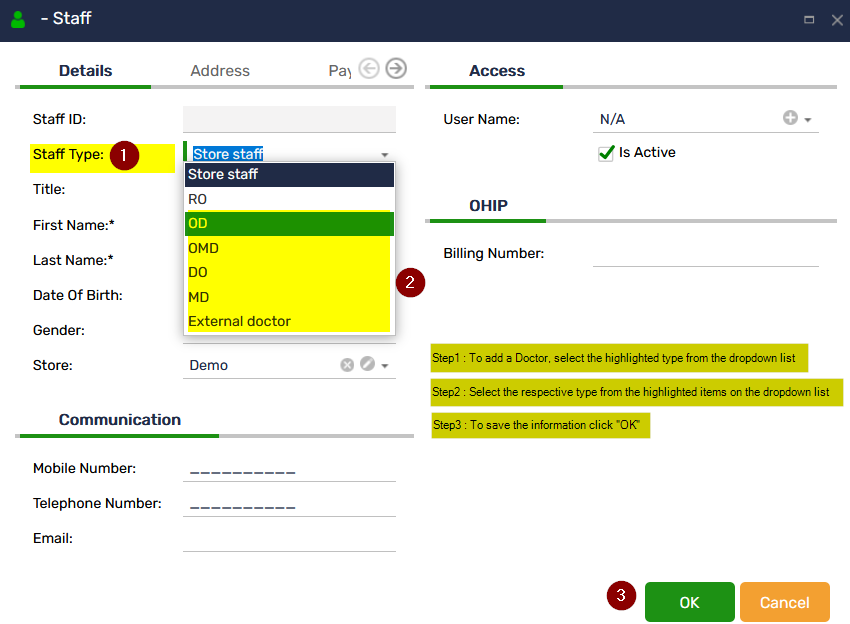
This is how you can add new doctor to the existing list of doctors.
Table of Contents