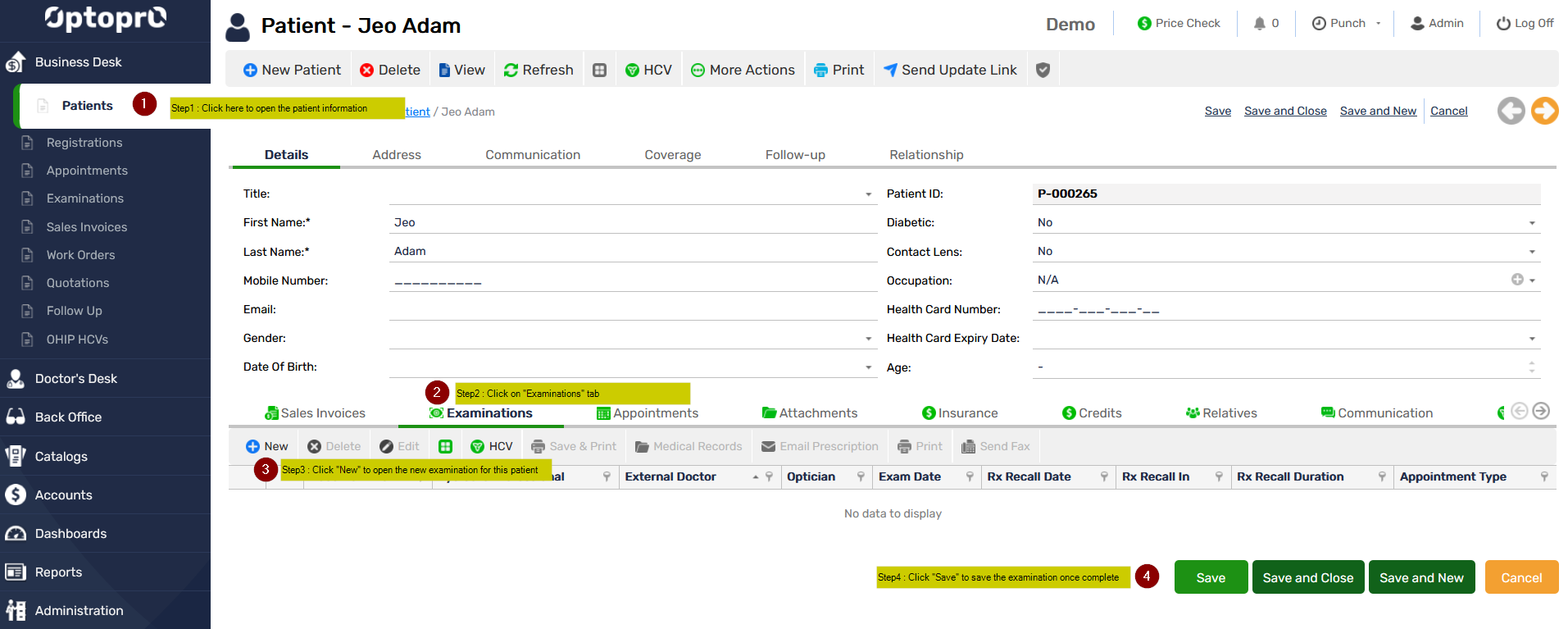
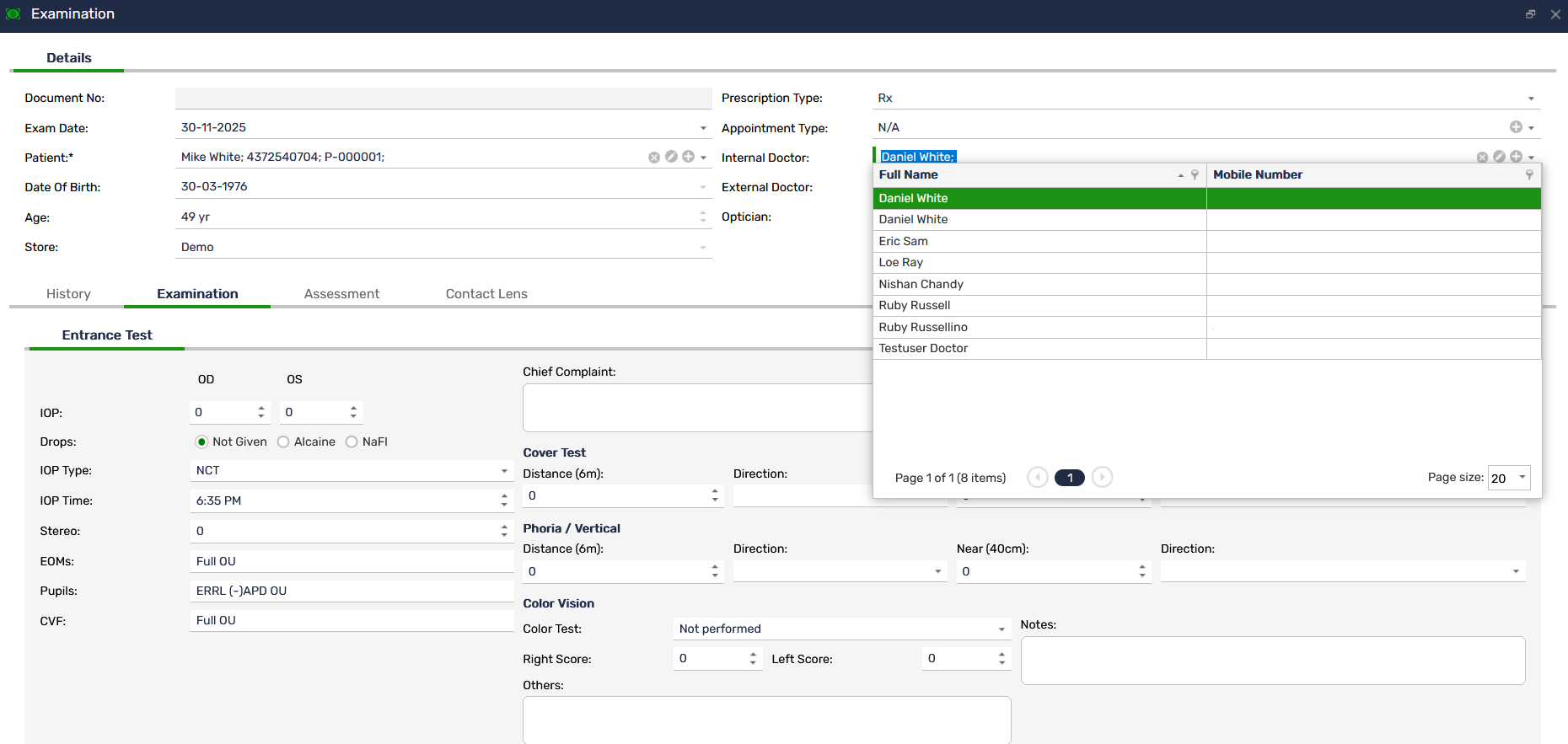
Examination
Key functions of Examination
 Patient Clinical Profile
It provides a complete snapshot of the patient’s clinical background, including
-
- Demographics
- Medical and ocular history
- Previous prescriptions
- Past examination notes
- Allergies and medications
Practitioners can quickly review essential details before beginning the examination, ensuring personalized and informed care.
Health Card Validation
The built-in HCV feature, enables clinics to verify patient eligibility and health card status directly within the examination workflow.
Key Capabilities:
-
- Real-time validation of provincial health cards
- Automatic verification of expiry dates and coverage status
- Immediate notifications for invalid, expired, or mismatched card details
- Seamless update of validated information into the patient record
This ensures accurate billing, reduces claim rejections, and maintains compliance with provincial health authorities.
Pre-Test Data Entry
It allows easy input of pre-testing results such as
-
- Visual Acuity (VA)
- Auto Refraction and Keratometry
- Lensometry
- Screening tests (Color vision, Stereopsis, VF Screening)
All pre-test results automatically flow into the main exam template for easy review and prevent duplication.
Comprehensive Eye Examination
It provides structured templates for documenting each step of the examination, including
Refraction
-
- Manifest and cycloplegic refraction
- Retinoscopy findings
- Final subjective refraction
Ocular Health Assessment
-
- Anterior segment evaluation
- Posterior segment evaluation
- Contact lens assessment
- Diagnostic imaging results (OCT, Fundus photos, Visual fields)
Binocular Vision
-
- Cover test results
- Near point assessments
- Vergence and accommodation tests
Each section can be customized to match clinic-specific workflows.
Prescription Management
Practitioners can easily generate and store
-
- Eyeglass prescriptions
- Contact lens prescriptions
- Low-vision aids
- Specialty lens recommendations
Email Prescription: It enables clinics to send prescriptions directly to patients via secure email.
-
- One-click email delivery from the prescription page
- Professional, clinic-branded email templates
- PDF attachment of the prescription
- Automatic logging of email activity in patient records
This improves convenience for patients and reduces manual administrative work for staff.
Clinical Notes & Recommendations
It supports
-
- SOAP notes
- Internal comments
- Treatment plans
- Patient education notes
- Follow-up reminders and scheduling suggestions
Notes are automatically time-stamped and securely stored to ensure compliance and traceability.
Integration with Other Modules
It works seamlessly with
-
- Appointment Scheduling (auto-populates patient data)
- Sales & Billing (push prescriptions directly)
- Inventory Management (match prescriptions with available frames and lenses)
- Patient Management (update ongoing care plans)
This integration ensures a unified workflow across the clinic.