What can we help you with?
-
Updates
-
Patients
-
Appointments
-
Examinations
-
Sales
-
Inventory
-
Promotions
-
Catalogs
-
Dashboards
-
Integrations
-
System
-
Resources
< All Topics
Print
Applying Promotion
Updated
During invoice creation, Optopro automatically evaluates the selected promotion against the products in the transaction.
Depending on the selected promotion configuration:
- Eligible promotion is automatically applied.
- Coupon-based promotions require entry of a valid coupon code.
- Discounts are calculated automatically.
- Invalid, expired, or inactive promotions are ignored.
This ensures billing remains fast, accurate, and compliant with your promotional rules.
Example: Create a Birthday Month Lens Promotion
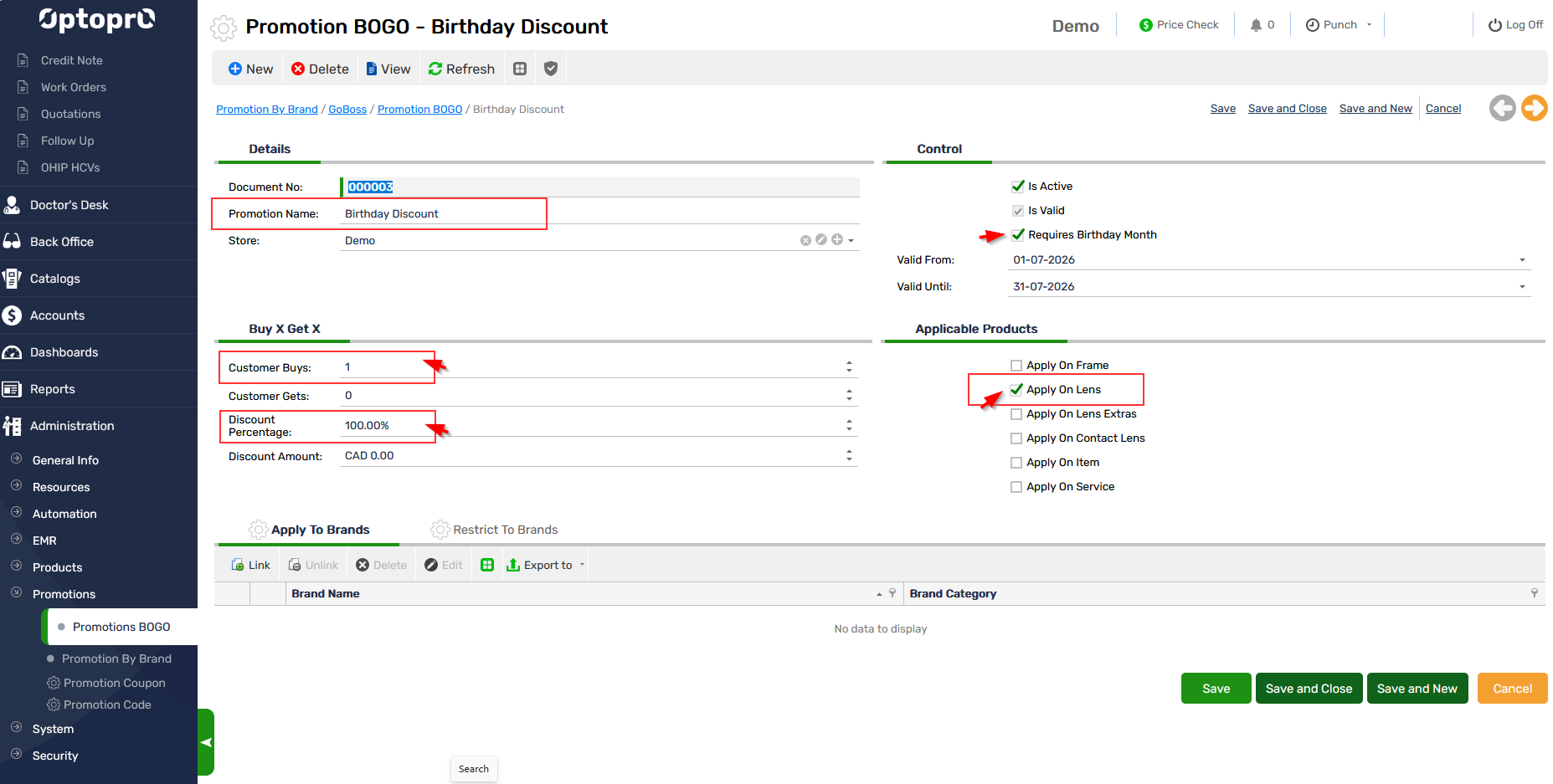
In this example, we will create a promotion that offers 100% off the price of a lens when a patient’s invoice is created during their birthday month.
Promotion Details
| Field | Value |
|---|---|
| Promotion Name | Birthday Discount |
| Promotion Status | Active |
| Valid From | July 1, 2026 |
| Valid Until | July 31, 2026 |
| Applies on | Lens |
How It Works
When an invoice is created and you click on the “Apply Promotion” option, Optopro automatically performs the following checks:
- Verifies that the promotion is active.
- Checks whether the current invoice month matches the patient’s birth month.
- Confirms that the invoice contains at least one lens.
- Applies a 100% discount to one eligible lens.
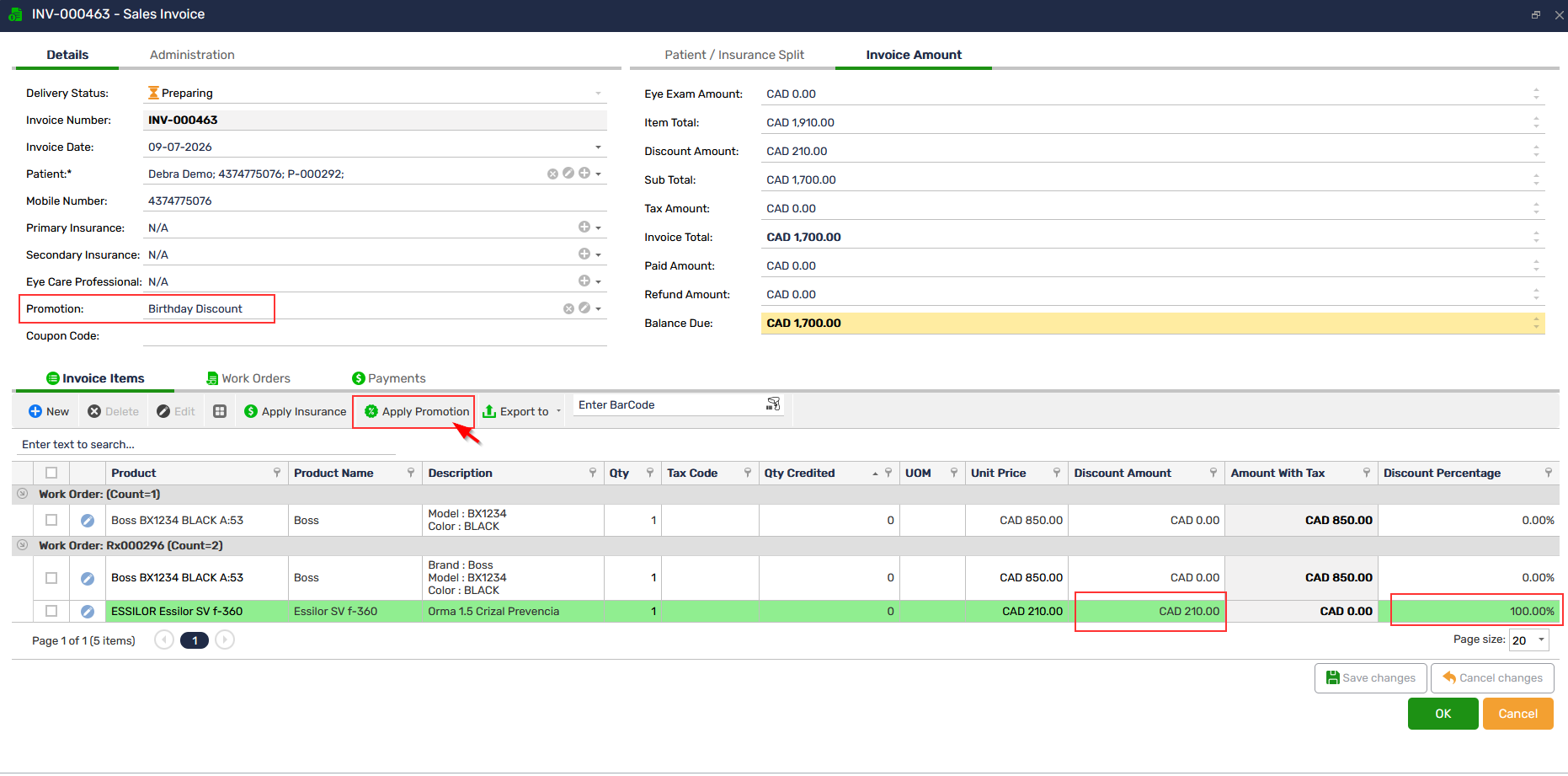
Table of Contents