Sales Invoice
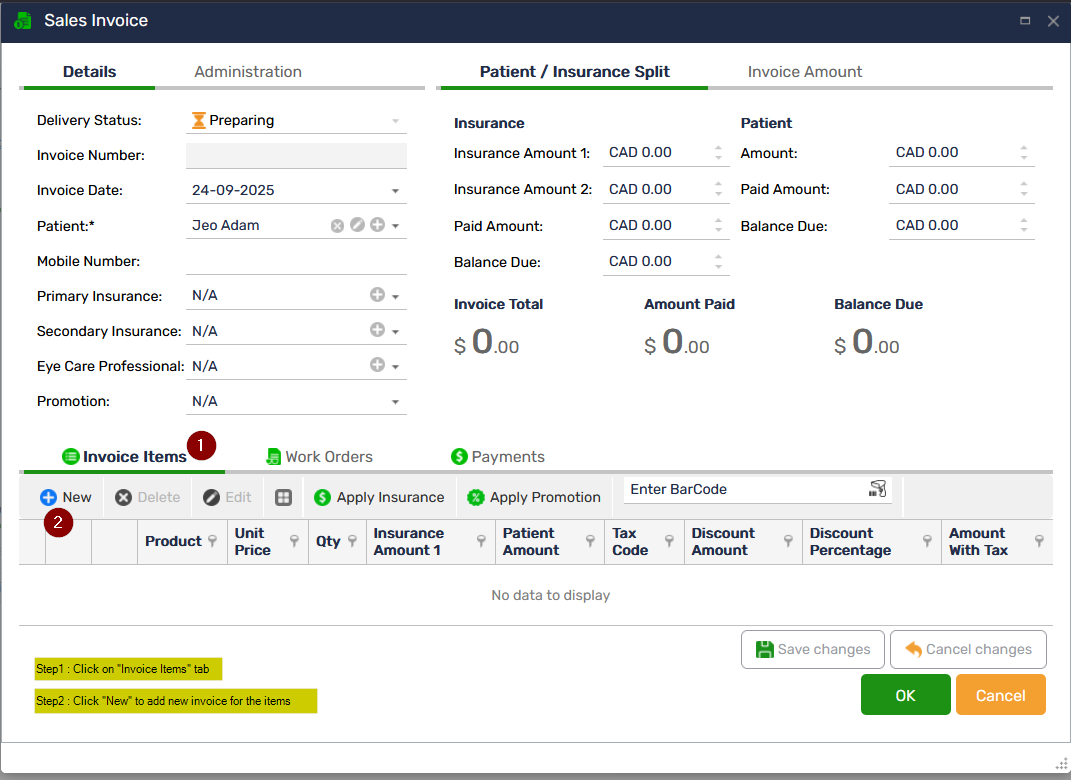
The Sales Invoice in Optopro allows optical stores to efficiently create, manage, and track invoices for all patient purchases, including frames, lenses, contact lenses, accessories, and services. Create sales invoices in just a few clicks. Designed to simplify day-to-day billing operations, this module ensures accuracy, transparency, and seamless integration with inventory, payments, and patient records. Optopro automatically pulls patient details, prescriptions, inventory items, and pricing to minimize manual entry and eliminate errors.
Key Features
 Integrated Product & Prescription Selection: Select frames, lenses, contact lenses, coatings, accessories, and services directly from your inventory or prescription records.
The system ensures that the correct product specifications, measurements, and pricing are applied.
Real-Time Inventory Synchronization: Every invoice instantly updates inventory levels, ensuring accurate stock management and preventing overselling.
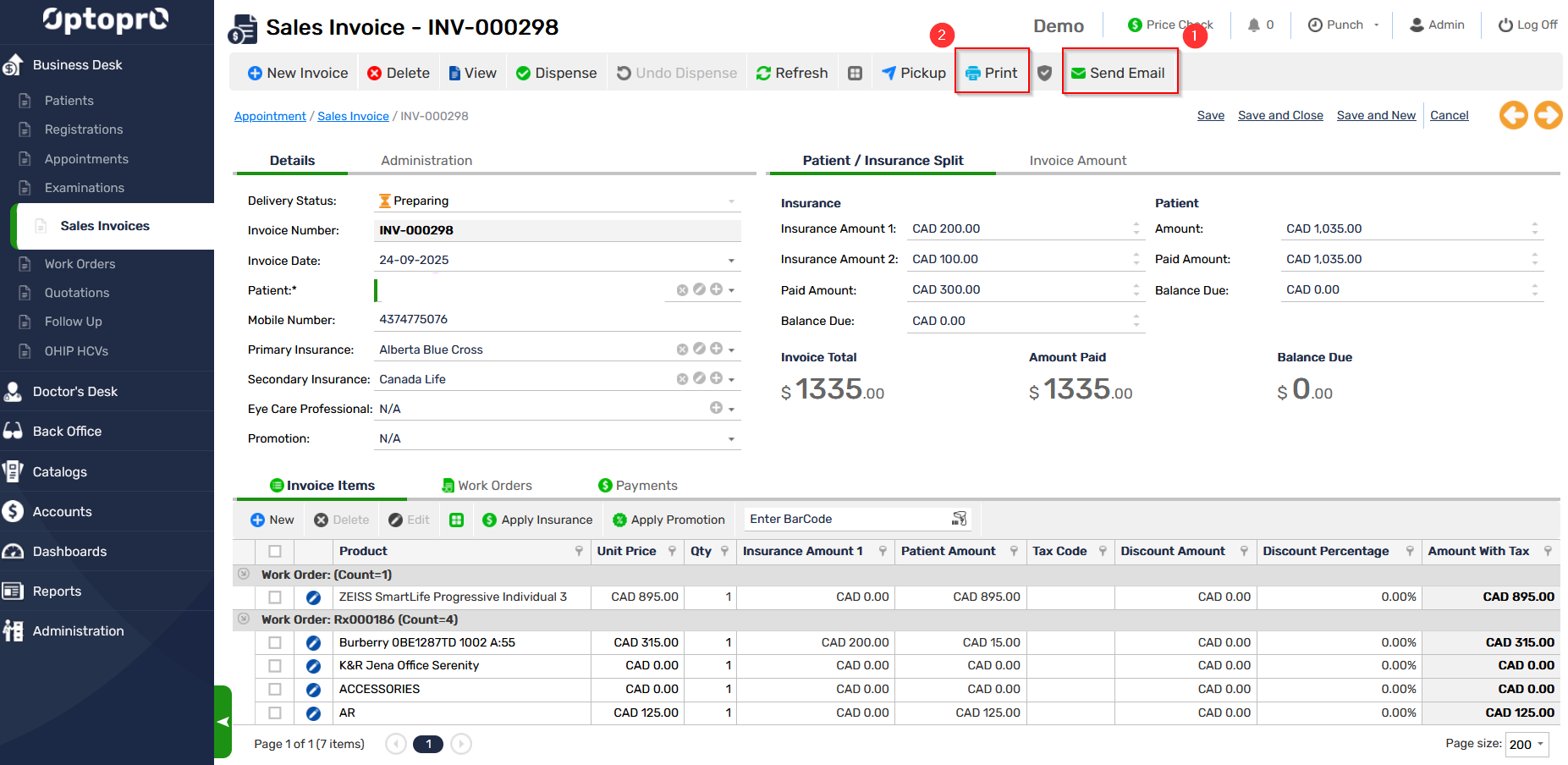
Multiple Payment Methods Supported: Record payments through cash, card, e-transfer, insurance, or mixed payment methods. Payment entries sync automatically with the Payments Dashboard for consolidated financial tracking.
Insurance & Direct Billing Support: Easily add insurance details, split payments between patient and provider, and generate statements required for insurance submissions.
Automatic Tax & Discount Calculations: Optopro applies store-configured taxes, discounts, and promotional offers automatically—ensuring consistent pricing and compliance.
Email & Print Options: Generate professional PDF invoices and send them directly to the patient via email. Print-ready formats are available for in-store use.
Draft Saving & Editing : Save invoices as Drafts and complete them later. Edit item details, payments, or patient information before finalizing.
Secure Record Keeping: All invoices are securely saved under the patient’s history, providing quick access for returns, warranty processing, and future purchases.