Registration
Patient Registration is the first step in creating a complete and compliant patient profile in Optopro. The module ensures that all necessary demographic, insurance, and contact details are accurately collected before the examination or any service delivery.
Key functions of Registration
 Self Registration (QR Code)
Optopro offers a convenient self-registration option that allows patients to securely enter their information using their own smartphone. This method helps clinics reduce front-desk workload and improve accuracy, as patients input their own information directly.
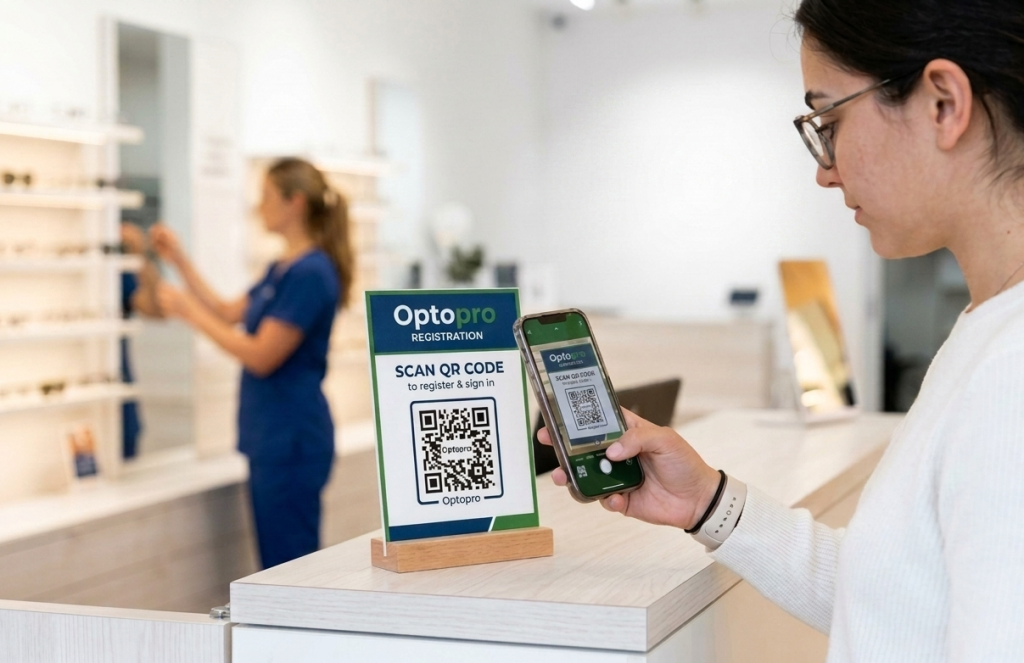
How It Works:
- The clinic displays the registration QR code at the front desk, on signage, or at kiosks/tablets.
- The patient scans the QR code using their mobile device.
- A secure registration form opens, prompting the patient to enter:
- Personal information (name, DOB, gender)
- Contact details
- Address
- Health card/insurance details
- Medical and ocular history
- Consent and privacy acknowledgement
- Once submitted, the data is immediately synced to Optopro and a new patient profile is automatically created.
Advantages
- Faster check-in and reduced wait times
- Greater accuracy in patient-entered information
- No manual entry required by staff
- Improved patient comfort and autonomy
- Supports contactless, paperless workflows
Front Desk Registration
For patients who prefer or require assistance, Optopro provides a streamlined front desk registration workflow. Staff can quickly enter patient information through an intuitive and structured interface.
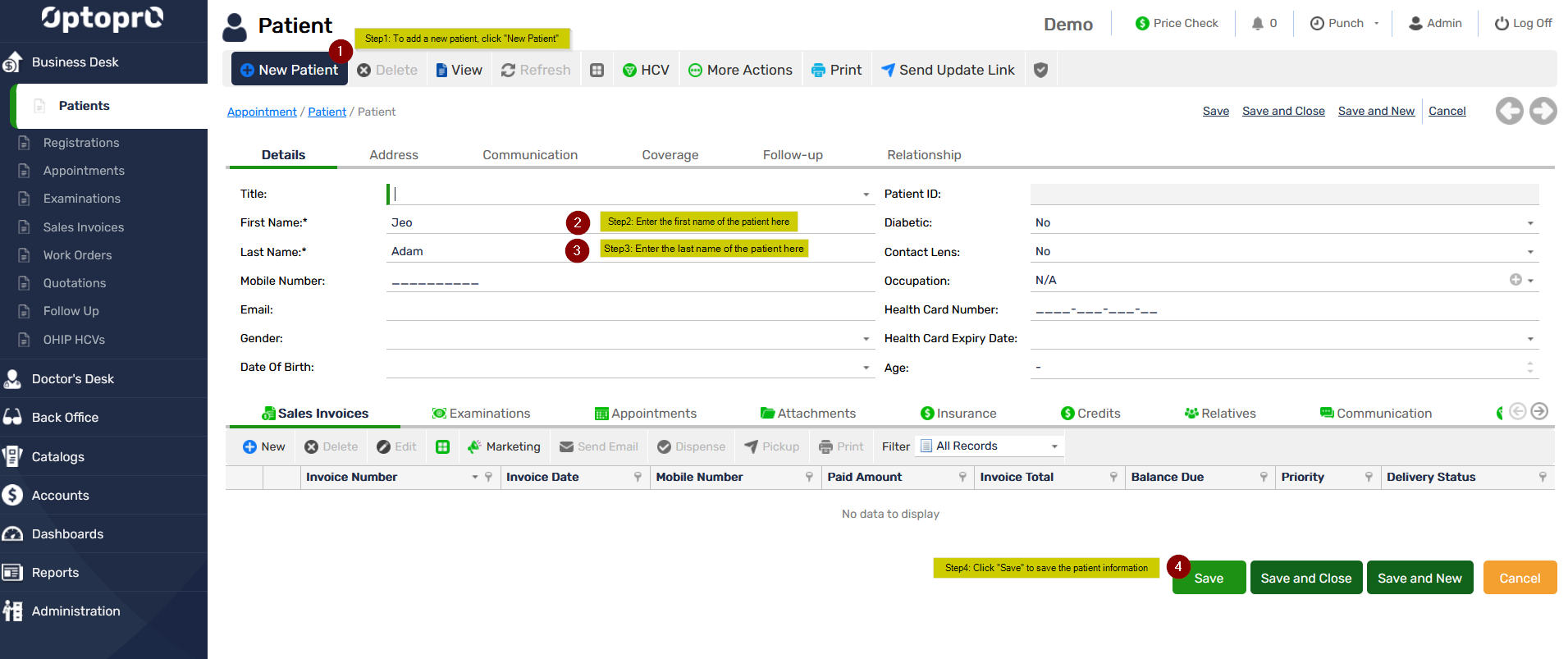
Front Desk Workflow:
- Staff selects “New Patient Registration” from the dashboard.
- The system presents a guided form with required and optional fields:
- Full name & demographic information
- Contact information (phone, email)
- Address details
- Health card and insurance information
- Emergency contact
- Medical and ocular history
- Preferred communication method
- Staff can scan or upload health card images directly into the record.
- Once saved, the patient profile becomes available across all relevant modules—Appointment, Examination, Sales, Billing, and Reports.
Advantages
- Ideal for walk-ins and senior patients
- Ensures staff-led data accuracy and verification
- Supports document scanning and secure uploads
- Allows staff to validate health card details immediately
- Fully integrated with clinic workflow
Automatic Data Sync Across Modules
Once registration is complete; whether through self-registration or the front desk; Optopro automatically updates the patient profile across:
- Appointment Scheduling
- Examination Module
- Sales & Billing
- Inventory (for prescription matching)
- Patient Communications
This ensures a smooth, connected experience for both the clinic and the patient.
Compliance & Security
The Patient Registration is designed to maintain high standards of data security and patient privacy.
- Encrypted data transmission
- Secure cloud storage
- Role-based access control
- Health card validation support
- Audit trail for all modifications